
Creating a crypto wallet is one of the most important steps you can take in your crypto journey. But for many beginners, it feels complicated and intimidating.
It does not have to be. This step-by-step guide will show you exactly how to create a crypto wallet — safely, quickly, and without any technical background. We will use KIML Wallet as our example since it is one of the simplest non-custodial wallets available today.
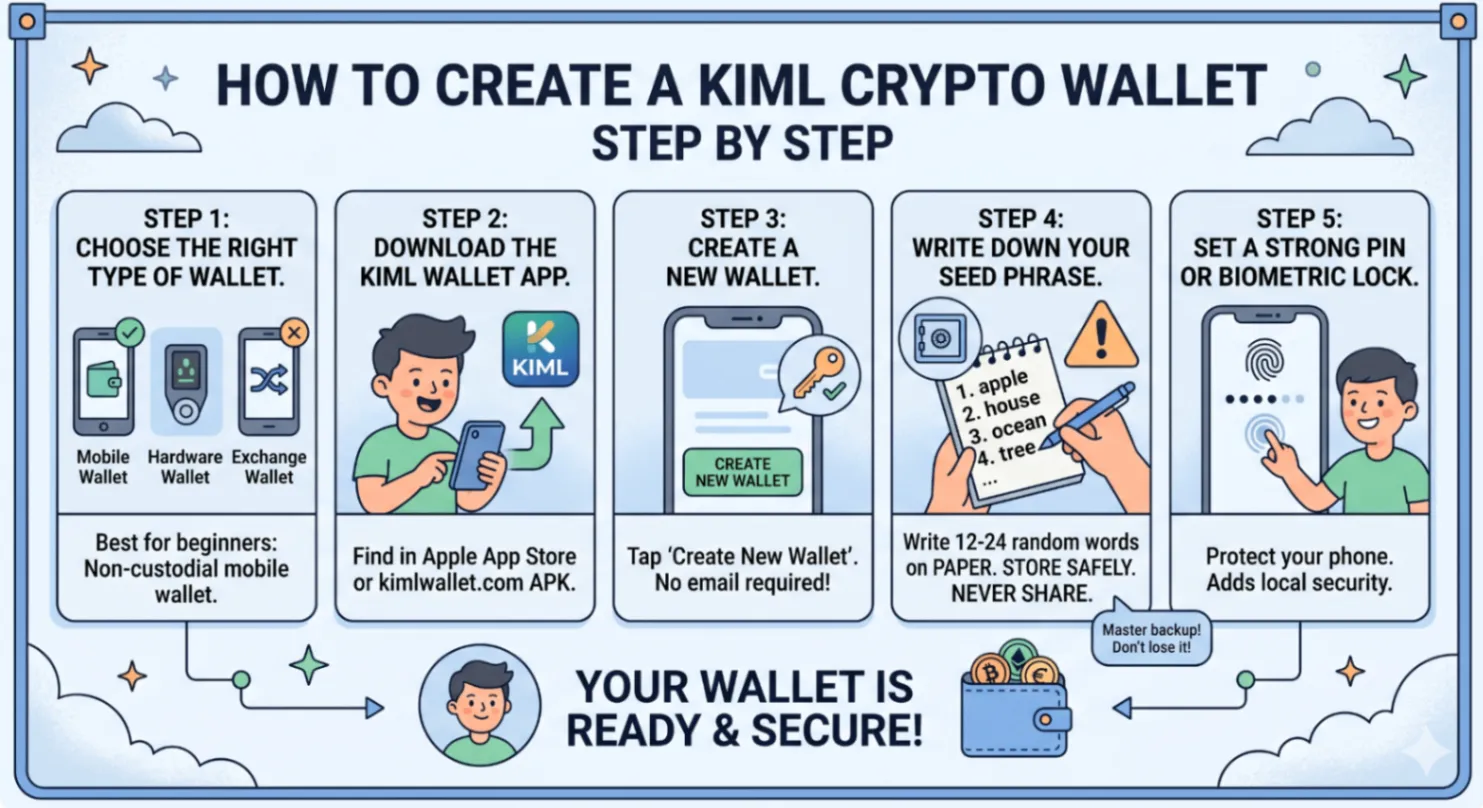
Step 1: Choose the Right Type of Wallet
Before creating a wallet, decide what kind suits your needs:
- Mobile Wallet: Best for everyday use. Easy to access. Perfect for beginners.
- Hardware Wallet: Best for large amounts you plan to hold long-term.
- Exchange Wallet: Easiest to set up but you do not own your keys — not recommended for serious crypto holders.
For most beginners, a non-custodial mobile wallet like KIML Wallet is the ideal starting point. It is free, secure, open source, and gives you full ownership of your crypto.
Step 2: Download the KIML Wallet App
For iOS users, search for KIML Wallet in the Apple App Store. For Android users, download the APK directly from kimlwallet.com. You can also use the web wallet at app.kimlwallet.com. Always download from official sources to avoid scam apps.
Open the app and tap "Create New Wallet."
Step 3: Create a New Wallet
The app will generate a brand new wallet address for you automatically. No username or email required. Your wallet is generated entirely on your device and never transmitted to any server.
Step 4: Write Down Your Seed Phrase
This is the most critical step. Your seed phrase is a sequence of 12 or 24 random words that acts as the master backup for your entire wallet.
You MUST write this down on paper and store it somewhere safe. Never:
- Take a screenshot of your seed phrase
- Store it in your email or cloud drive
- Share it with anyone for any reason
Warning: If you lose your seed phrase and lose access to your device, your crypto is gone permanently. There is no customer support that can recover it for you.
Step 5: Set a Strong PIN or Biometric Lock
Set a PIN or enable Face ID / fingerprint authentication to protect your wallet from anyone who picks up your phone. This adds a layer of local security on top of your seed phrase.
Step 6: Receive Your First Crypto
Once your wallet is set up, tap "Receive" to see your wallet address. Share this address with whoever is sending you crypto. Within minutes, your first funds will appear in your wallet.
Get Started with KIML Wallet
Download KIML Wallet:
- Android APK — kimlwallet.com
- iOS App — App Store
- Web Wallet — app.kimlwallet.com